Killing My Boredom!
After pondering over questions like:
- Is it worth it?
- Will I use it often?
- Will it spoil me?
... for over 3 months I finally caved in and bought an R36S.
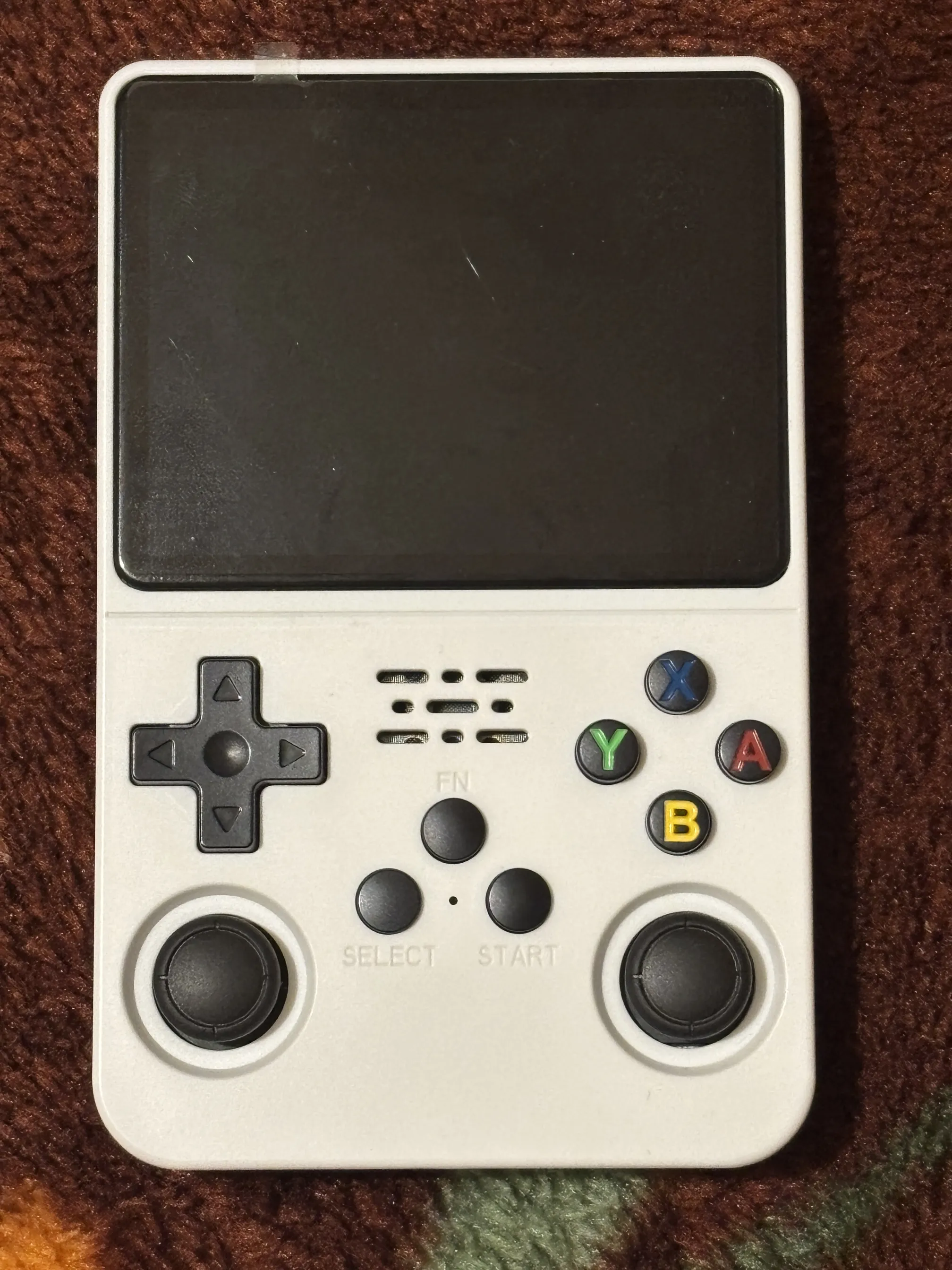
For those wondering what it is, it's a piece of hardware built to play old retro games, or in technical lingo - an emulator.
What kinda games? Mostly 8-,16-, 32-bit titles from the golden era of gaming - NES, SNES, Gameboy, Sega Genesis, Playstation 1, and more.
Just to be clear this device isn't the only way to play them. You can almost certainly run them on a device you already own, like your phone or computer.
So why buy one? Honestly, It's mostly for the charm of having physical buttons - and a slightly better experience.
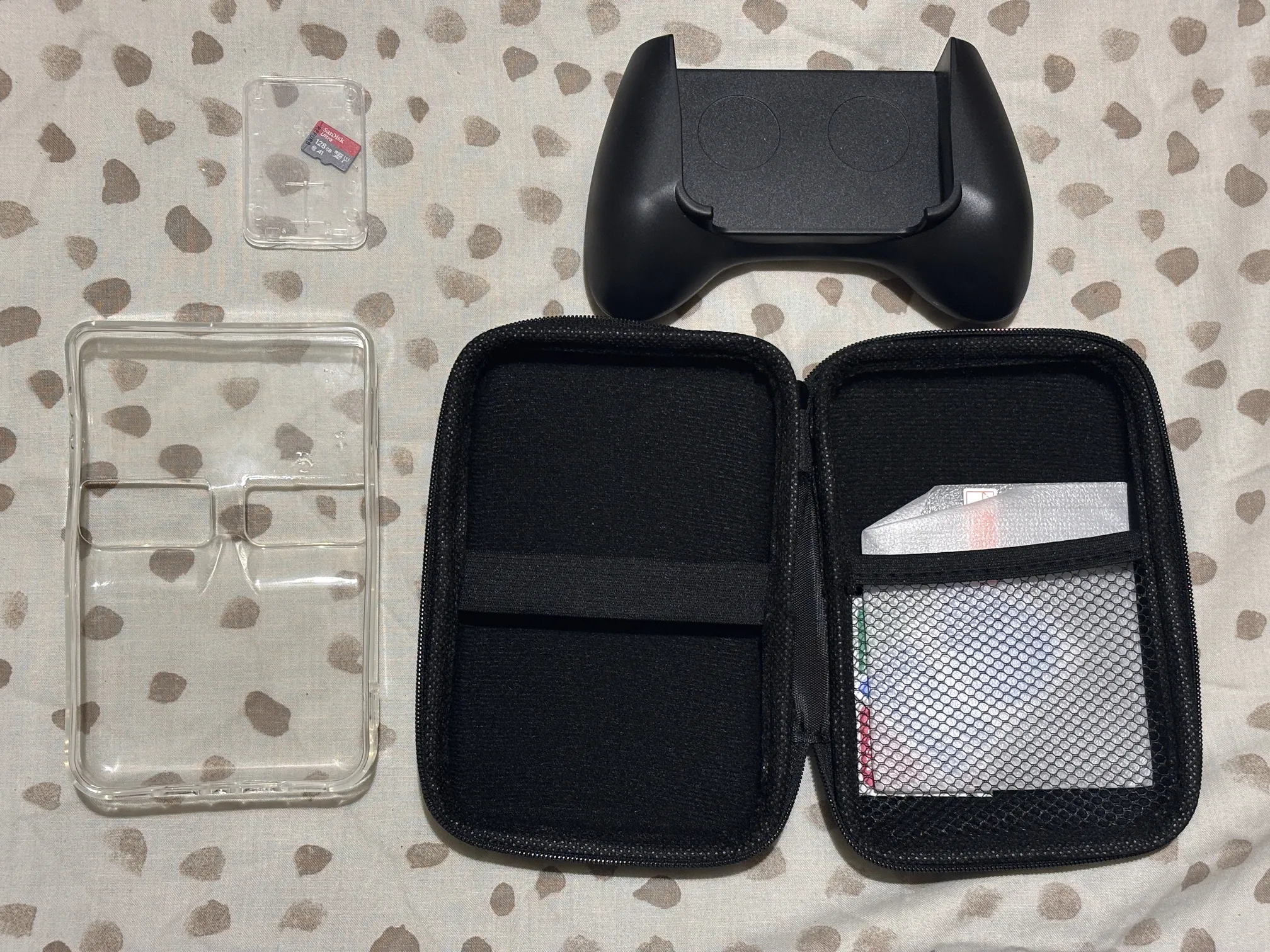
I'll link the device I bought and all the accessories I ended up buying after below in case anyone wants to follow my footsteps (and avoid my foot-guns) -
| Item | Link | Price |
|---|---|---|
| BOYHOM R36S 64G | Aliexpress | £33 |
| (Refurb) SanDisk Ultra Micro SD 128GB | Ebay | £18 |
| Pouch + Protective Screen Protector | Aliexpress | £2 |
| Hard Shell Transparent Case | Aliexpress | £2 |
| Grip | Aliexpress | £3 |
R36S is so popular, market is flooded with clones. If you blindly buy one from an untrusted seller there's a really high chance you'll end up with a cheap fake. This is such an irony because even an original R36S itself is a budget clone of other retro handhelds!
To avoid buying a clone of a clone, check this community website for a list of verified sellers. BOYHOM is one of them, and I verified my device's authenticity upon arrival - it's genuine.
Another thing everyone across forums agree upon: pre-installed micro-sd card is a ticking time bomb! It'll not actually explode, but it's ultra cheap and will corrupt and fail on you eventually. That should explain my 128GB Sandisk purchase.
As for rest of the accessories, they're mostly optional:
- Buy a grip if you have a big hand and you want to avoid awkward hand positioning.
- Buy a Pouch if you plan to take it outdoors.
- Buy a Case if you want to avoid yellowing and for overall longevity of device.
- Buy a Screen protector if it comes bundles with one of above things.
My biggest oversight here happens to be the hard case I bought being incompatible with grip - meaning device with case on won't fit into grip.
I was hoping to leave the case on permanently and slide in the grip for longer playing sessions. Having to pop the case off every time I want to use the grip is a minor hassle, but it's something I can live with.
While R36S is the current OG of them, there are a lot of different variants out there -
- R36S Pro : a larger battery, improved ergonomics, and Hall-effect analog sticks (which is better I guess?).
- R36H : if you prefer a wider layout, this offers a much better native grip - meaning you likely won't need to buy an add-on grip at all.
- R36 Max / R36 Ultra: one with a 4" square display, they are perfect for handheld-native systems like Game Boy, but leave black bars on traditional 4:3 home console titles like Playstation 1. Ultra adds a built-in wifi, for tracking your game progress and loading ROMs over-the-air.
While I highly recommend the original R36S, due to its huge community support and superior custom firmware compatibility. It's always worth doing your own research and buy one that best fits your need.
A few more things to take note of,
- Be prepared to tinker with it! Buying a new sd card means flashing a custom operating system (like DArkOS) from scratch. Which can be quite intimidating if you are not too comfortable with technical setups.
- I bought a 64G version of console as I know the memory card is anyway going to be crap and I'm gonna replace it. Only point of buying a larger sd would be lot more games, but you can always download them afterwards.
- I bought white colour, so I had to open up back panel to check for motherboard version (which is crucial for flashing a rom). Buying a translucent version will allow you to check motherboard version without taking it apart.
- R36S has 2 sd card slots, TF1 (to boot your OS from) and TF2 (to save and load your games from). Community suggests using 2 cards as you are now free to tinker with your OS while your game collection would be safe in a different SD card. While this makes sense, TF2 slot that accepts games are extremely picky it seems and accepts only a small number of SD Cards. From my research all those cards are expensive. So for now, I am happy to use single SanDisk SD card for for both OS and Games.
I'm planning a follow-up post with my experience trying to install a custom firmware - DarkOS. Do check back if it's something you'd be interested in!